
Xie Chinese
Learn Chinese by writing it.
Trace a character until the model fades, then write it from memory — every stroke graded as you draw, in the correct order, HSK 1 to 6.
Per-stroke grading · correct stroke order from the very first character · printable PDF workbooks.
What it does
Every stroke, checked as you write it.
Xie Chinese does one thing: it moves characters out of recognition and into your hand, in the correct stroke order.

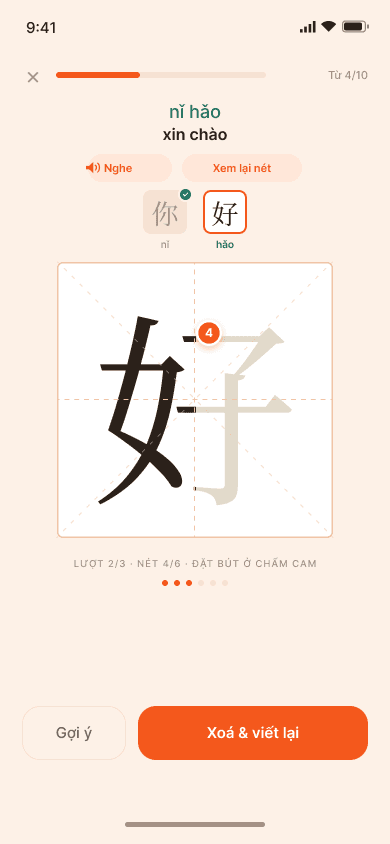
Trace, then write unaided
The model fades a little on each pass. By the third the grid is empty and you write it alone.

Every stroke graded live
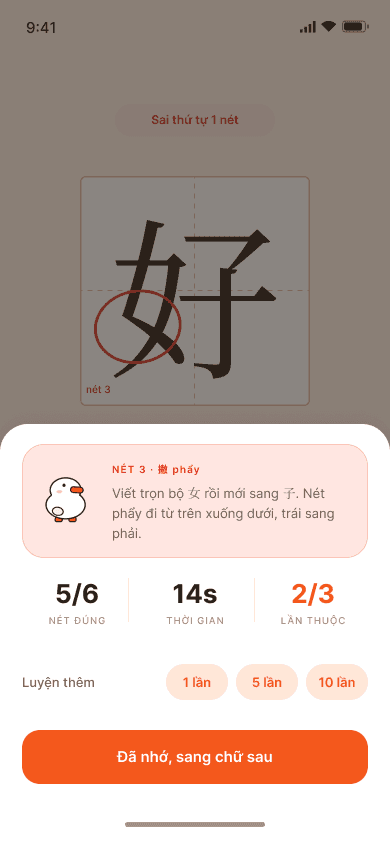
Miss the hook on stroke seven and the app names that stroke, circles it, and says how to fix it in one line.

Correct stroke order from day one
Written in the right order, a character stops being a picture you copy and becomes a sequence your hand replays.

Printable PDF workbooks
Pick the characters, pick the grid, export a PDF and practise on paper.
A closer look
See the stroke you got wrong.
Why Xie Chinese
You can read it. Your hand can’t write it.
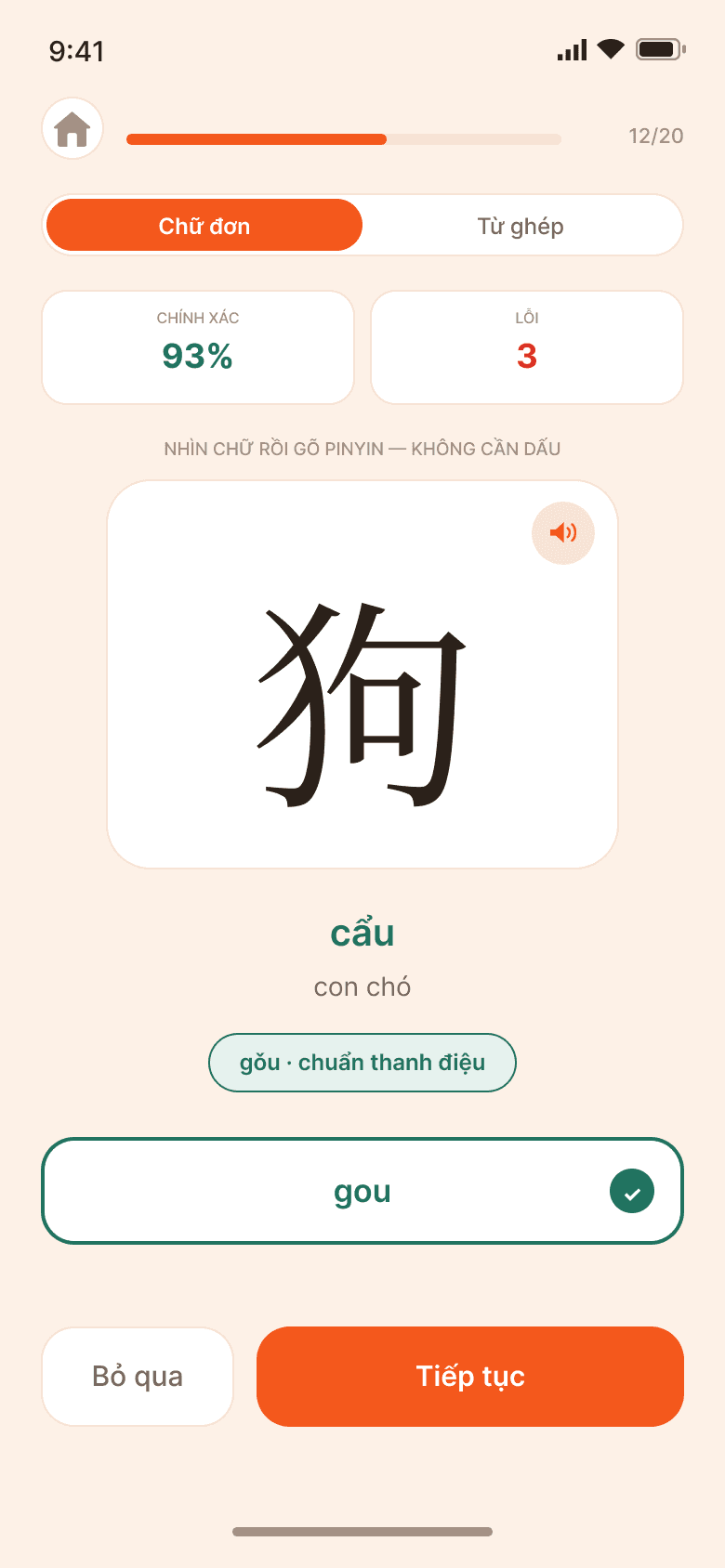
Recognising a character and producing it from memory are two different skills, and only one of them comes from tapping. In most Chinese apps handwriting is one bullet in a list of thirteen. Here it is the whole app.
FAQ
Questions, answered.
Do I need an account?
No. Xie Chinese opens straight into practice, and your progress stays on your device.
Is Xie Chinese free?
Free to download, and free to practise every day. Pro unlocks the full HSK 1–6 program, unlimited daily practice and PDF workbook export — $4.99 monthly or $49.99 yearly.
Does it work with Apple Pencil?
Yes. It is built for Apple Pencil on iPad with precise palm rejection, so you can rest your hand on the screen. On phones you write with a finger.
Which devices does it work on?
Xie Chinese is on the App Store for iPhone and iPad, and on Google Play for Android phones and tablets.

Ten minutes a day, until your hand remembers.
Free to practise every day. Trace it, write it, and see every stroke graded.
More from Davaco
See all apps X-Money
 XPhonetics
 XCam
XCam Blur It
 XGames
 Floral Diary
 XLoan
XLoanStay in the loop
Hear about the next app first.
A few emails a year, when we ship something. Unsubscribe any time.