
XCam
Film both sides at once.
Record the scene and your reaction at the same time with the front and back cameras, then get a TikTok and a YouTube cut from the same take.
Front + back camera in one video · 9:16 and 16:9 from one take · 0.5× to 3× close-ups
What it does
Both sides of the moment, in one take.
XCam does one thing: it films with two cameras at once, so the scene and the person behind the phone end up in the same video.

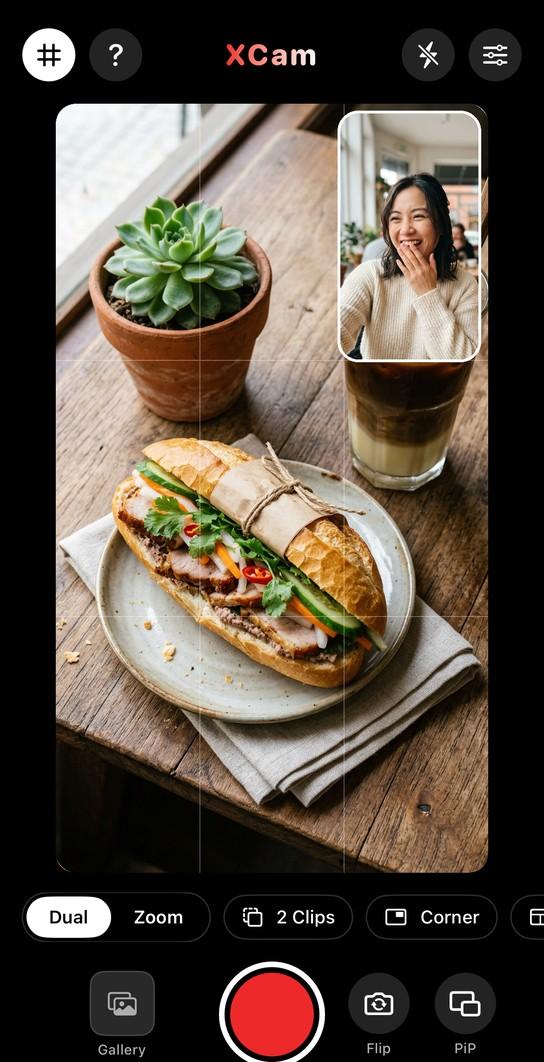
Front and back at once
Record what you see and how you react in one video. Move the small window to any corner, or switch to split screen.

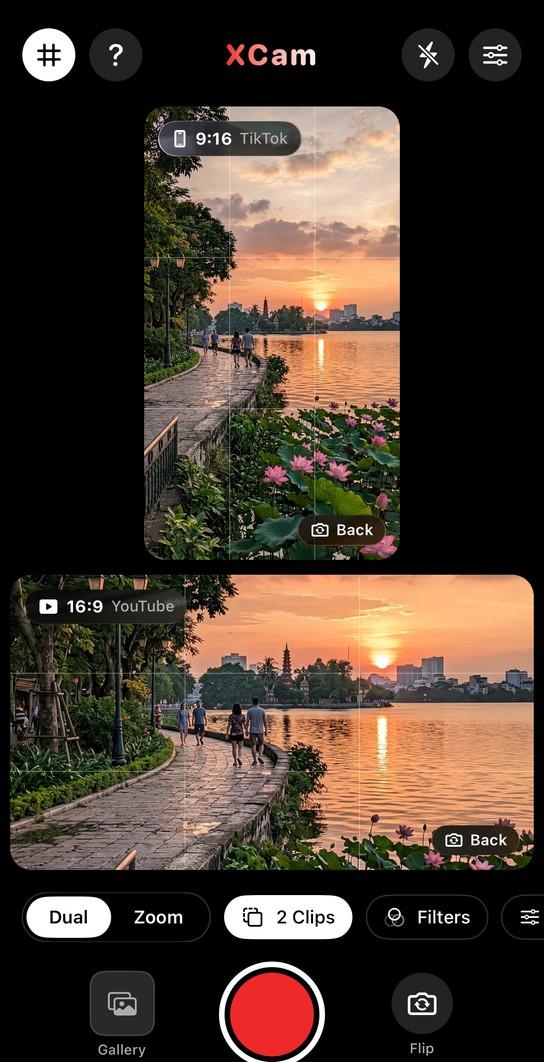
One take, two formats
Turn on 2 Clips and XCam saves a 9:16 for TikTok and a 16:9 for YouTube from the same recording.

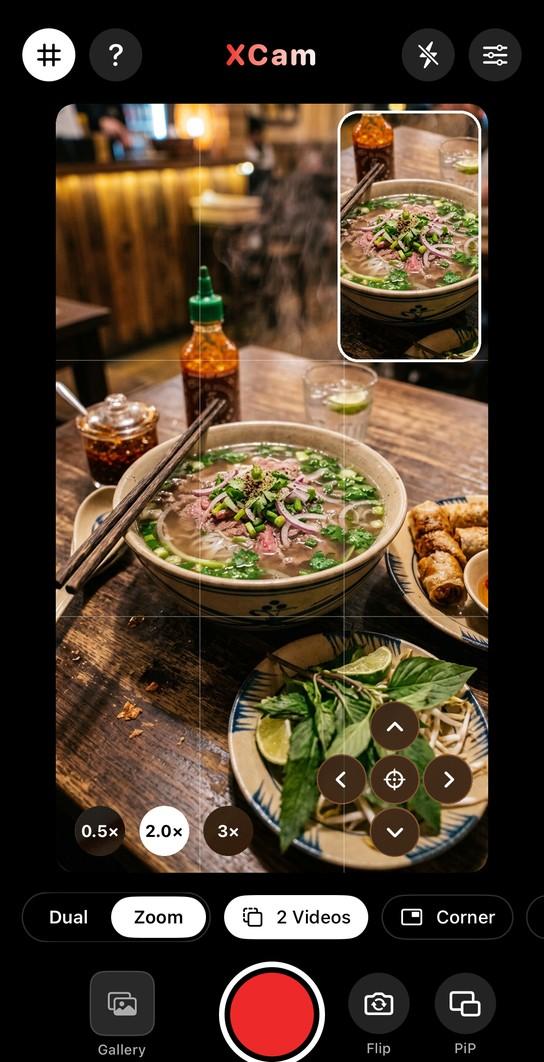
Wide shot and close-up together
Zoom mode films the whole table and a 2× or 3× detail at the same time. Made for food.

Presets for food, reactions, vlogs
Filters, warmth and contrast, timer, HDR and 60fps. Save your setup and start from it next time.
A closer look
One recording, everything you need.
Why XCam
The best part is usually behind the phone.
Someone opens the gift, tastes the dish, sees the view — and the camera is pointing away from the face that mattered. Filming it twice never looks the same. XCam keeps both sides of the moment in one recording, so nothing has to be staged again.
FAQ
Questions, answered.
Do I need an account?
No sign-up. XCam opens straight to the camera, everything is processed on your iPhone, and videos save straight to Photos.
Is XCam free?
Free to download, with 3 video exports a day (5 on your first day). XCam Premium removes the limit and the watermark and unlocks every mode — $4.99 a month (with a free trial for new subscribers) or $19.99 once for Lifetime.
Can I save the two cameras as separate clips?
Yes. In Dual mode, 2 Clips saves a 9:16 and a 16:9 version. In Zoom mode, Save as 2 videos keeps the wide shot and the close-up as separate files.
Which devices does it work on?
XCam is on the App Store for iPhone, iOS 17 or later. Recording with both cameras at once needs an iPhone XS, XR or newer.

Hit record once. Keep both sides.
Free to download, 3 exports a day. Dual, Zoom, Food and Film included.
More from Davaco
See all apps X-Money
 XPhonetics
 Blur It
 XGames
 GoChinese
 Floral Diary
 XLoan
 XHealth
Stay in the loop
Hear about the next app first.
A few emails a year, when we ship something. Unsubscribe any time.