
Blur It: Face Mosaic & Video
Post without exposing anyone.
Auto-blur every face in photos and videos, and hide phone numbers, cards and QR codes in screenshots. Nothing is ever uploaded.
Processed on your phone. No account, no cloud, no upload.
What it does
One tap to blur, nothing to upload.
Blur It keeps the job small: pick a photo or video, and every face is covered before you share.

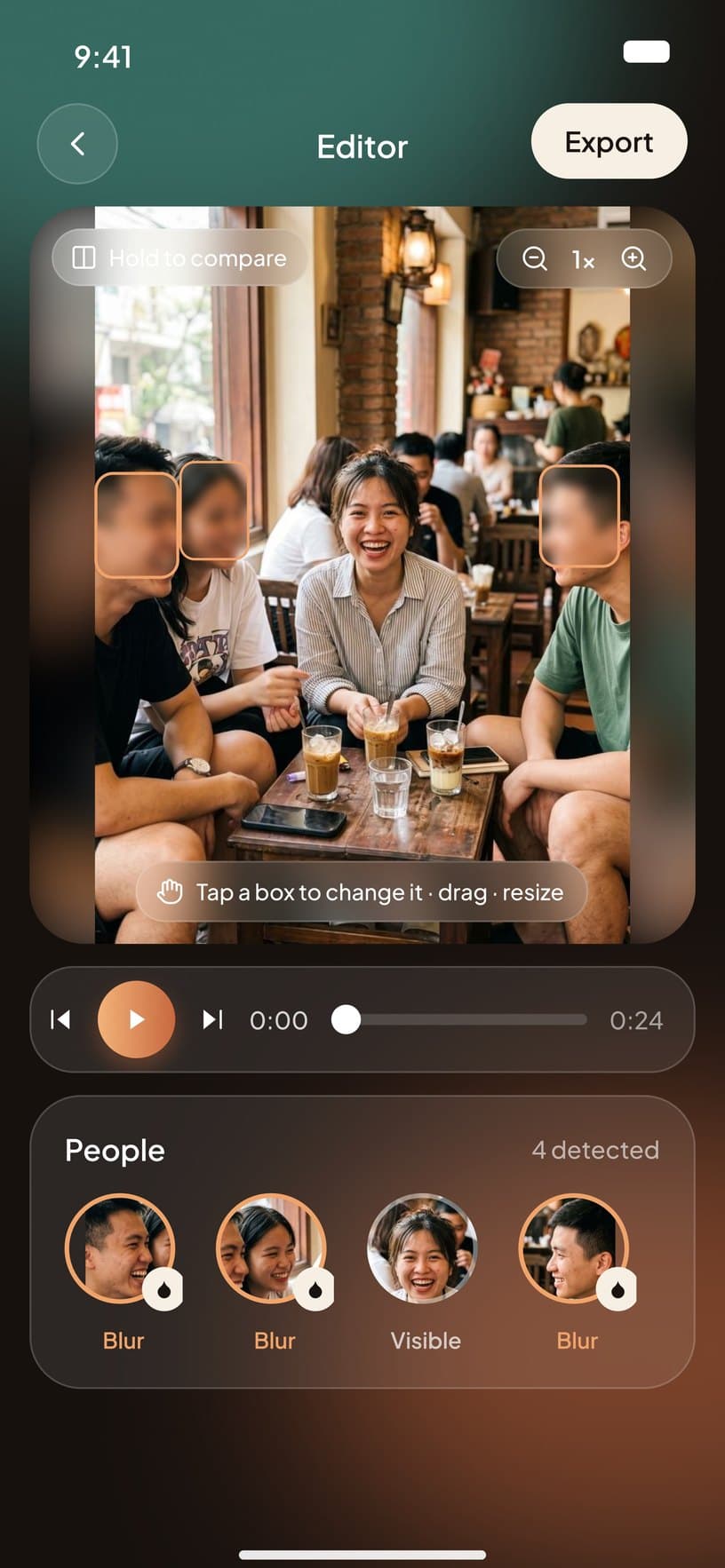
Auto face blur
AI finds every face in a photo or video and covers it in one tap.

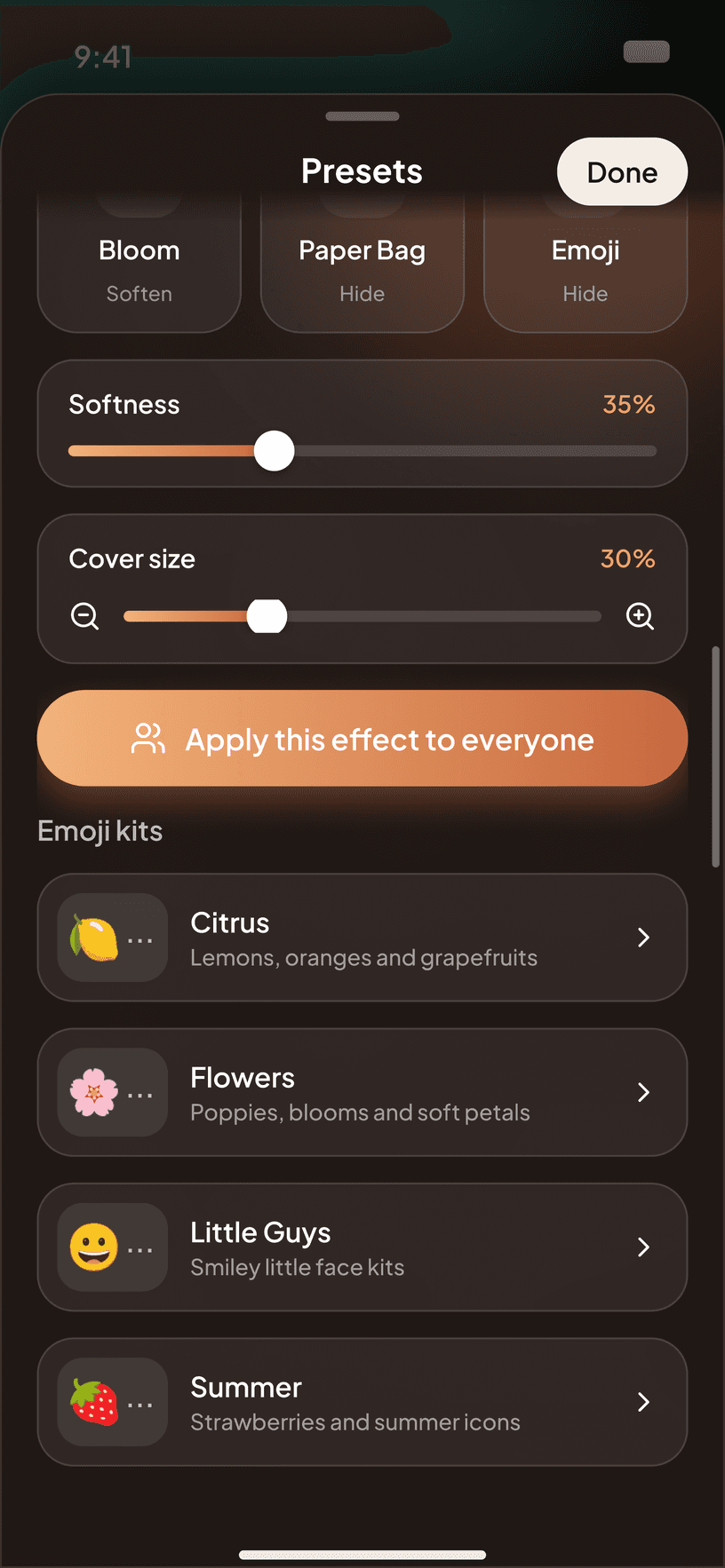
Mosaic, blur or emoji
Pick pixelate, soft blur or a sticker, then adjust the strength to taste.

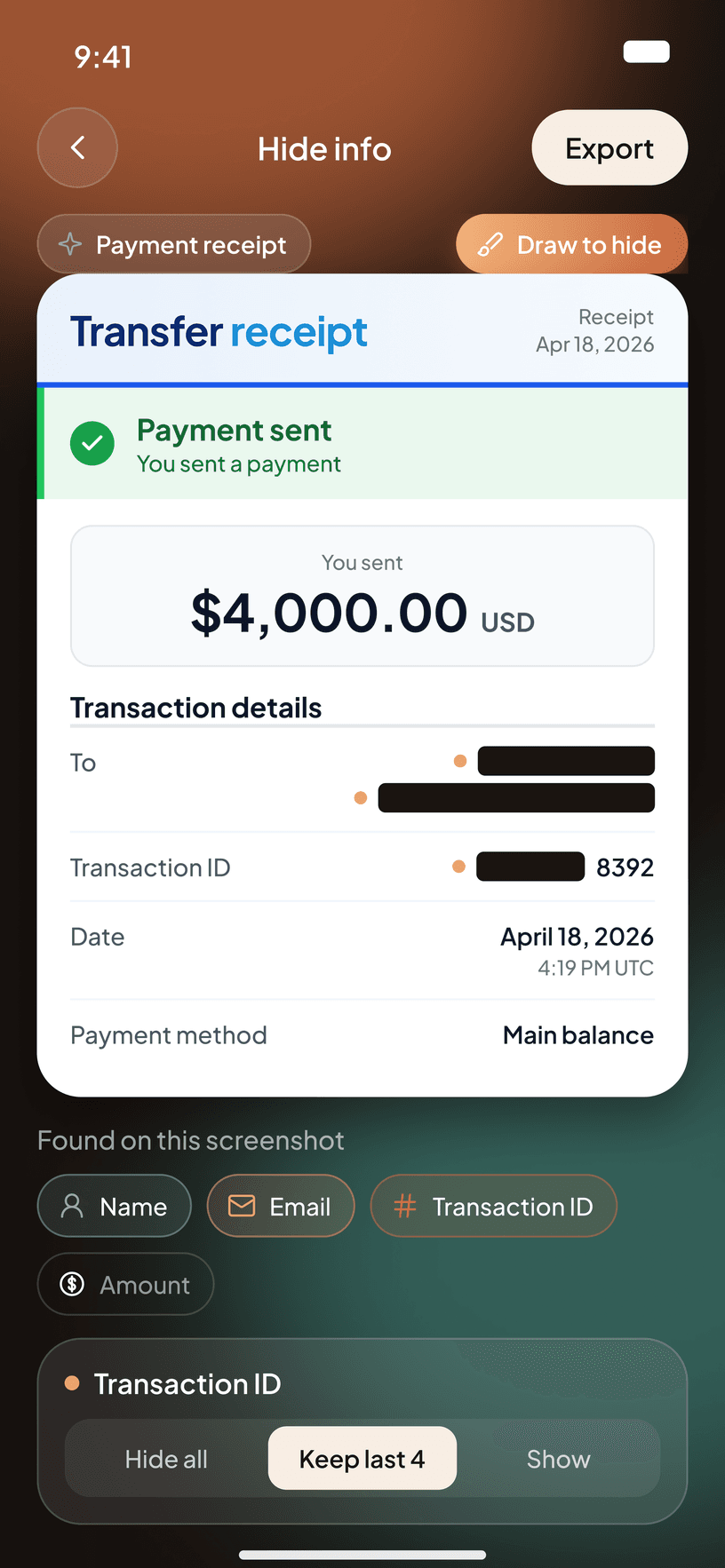
Hide private info
Cover phone numbers, cards, QR codes and license plates in screenshots.

Track moving faces
Tracking follows a subject through the whole clip, then export up to 4K.
A closer look
Built for posting without worry.
Why Blur It
Your photos never leave your phone.
Most blur tools send your media to a server to process it. Blur It never does. There is no upload step and no account, so there is nothing to leak. Every frame is processed on device, and it even works in airplane mode.
FAQ
Questions, answered.
Are my photos uploaded anywhere?
No. Every photo and video is processed on your phone. Blur It even works in airplane mode.
Is Blur It free?
Free to use with a small watermark. A one-time Pro purchase removes the watermark and unlocks full quality.
Can it blur faces in videos?
Yes. Faces are detected in every frame, and tracking follows a moving subject through the clip.
Which phones does it work on?
Blur It is on the App Store for iPhone and on Google Play for Android phones.

Share your moments, not their faces.
Free to try. Everything stays on your phone.
More from Davaco
See all apps X-Money
 XPhonetics
 XCam
 XGames
 GoChinese
 Floral Diary
 XLoan
 XHealth
Stay in the loop
Hear about the next app first.
A few emails a year, when we ship something. Unsubscribe any time.